Smartphones for Beginners: A Calm, Practical Guide to Choosing Your First Phone
Smartphones for Beginners: A Calm, Practical Guide to Choosing Your First Phone
Modern smartphones are a long way from the home phones many of us grew up with. Over the past two decades, they’ve quietly replaced cameras, maps, notebooks, wallets, TVs, and even bank branches. Today, one device can handle photos, messages, calls, shopping, entertainment, and everyday admin.
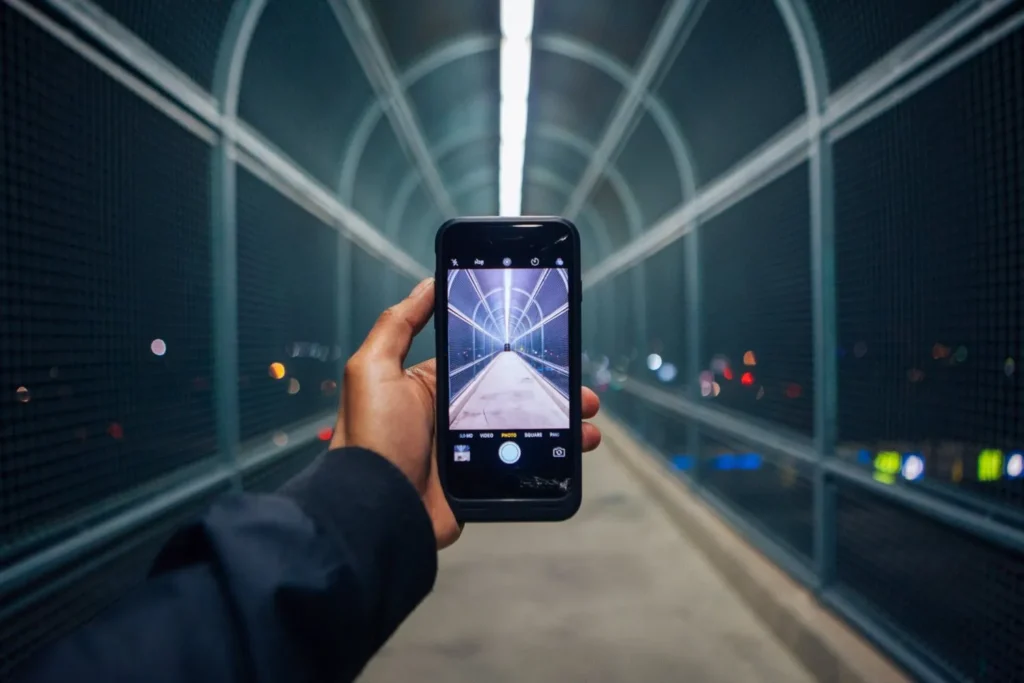
That versatility is exactly what makes choosing your first smartphone feel overwhelming.
This guide is written for beginners — people who don’t want tech jargon, brand hype, or pressure to buy “the best.” Instead, we’ll focus on what actually matters when you’re buying your first smartphone: ease of use, reliability, comfort, and value. Online Safety for Children — Read Also
iPhone or Android: Which Is Easier for Beginners?
This is usually the first — and biggest — decision.
At a basic level, iPhones and Android phones do the same things. You tap icons, swipe between screens, and download apps from an app store. The difference is more about ecosystem and long-term comfort than raw ability.
iPhone (Apple)
- Very consistent design across models
- Updates arrive quickly and for many years
- Simple menus and predictable behavior
- Works especially well if you already use Apple devices (iPad, Mac)
Many first-time users find iPhones reassuring because things rarely change suddenly.
Android (Google, Samsung, others)
- Huge range of phones at different prices
- More customization options
- Some models feel more “flexible,” others more complex
If updates matter to you, Google’s Pixel phones are a safe Android choice, as they receive new features first.
Editorial note: usability studies consistently show that beginners adapt slightly faster to more consistent interfaces, while experienced users prefer flexibility. This is why iPhones often feel simpler at first, while Android grows with you over time.
Understanding Smartphone Specs (Without the Headache)
You don’t need to understand every technical term. Focus on a few essentials.
Camera: More Lenses ≠ Better Photos
Most smartphones have:
- A rear camera (main photos and video)
- A front camera (selfies and video calls)
Phones advertised as “dual” or “triple camera” simply include extra lenses for wide shots or zoom. For everyday use, a good main camera matters more than having many lenses.
If you enjoy photography, look for phones known for software quality, not megapixel numbers.
Screen: Bigger Isn’t Always Better
A large screen is great for videos, but harder to handle with one hand.
- Mid-range comfort: 6–6.4 inches
- Smaller, easier grip: under 6 inches
Sharpness is measured in pixels per inch (PPI). Anything above ~400 PPI looks crisp to most eyes.
Battery Life: One Full Day Matters
Battery capacity is measured in mAh, but real-life performance depends on screen size and efficiency.
As a rough guide:
- Smaller phones: ~2,500–3,000 mAh
- Larger phones: 4,000 mAh or more
If a phone comfortably lasts one full day, it’s doing its job.
Water & Dust Resistance: Quietly Important
Look for IP67 or IP68 ratings if possible. This doesn’t make a phone waterproof — but it does protect against accidents, rain, or spills.
Fingerprint vs Face Unlock
Most phones now offer:
- Fingerprint unlock
- Face recognition
- Or both
Both are fast and convenient. Fingerprints often work better outdoors; face unlock feels effortless indoors.
Accessories: What You’ll Actually Use
You don’t need much:
- A protective case
- A screen protector
- A spare charging cable
Popular models (iPhone, Samsung Galaxy, Google Pixel) have the widest accessory choice, which makes life easier long-term.
Headphone Jack: Don’t Assume
Many modern phones no longer include a headphone socket.
If you use wired headphones, check before buying — or be prepared to use:
- Wireless headphones
- Or a small adaptor (easy to lose)
Beginner-Friendly Phone Picks (Different Comfort Levels)
iPhone SE (Budget iPhone Option)
- Familiar home button
- Fast performance
- Compact and easy to hold
Great if you want Apple simplicity without Apple pricing.
Google Pixel 6a (Balanced Android)
- Excellent camera
- Clean, uncluttered Android
- Strong performance for everyday use
A solid “just works” Android phone.
Samsung Galaxy S23 Ultra (Premium Option)
- Large, bright screen
- Powerful performance
- Excellent camera system
Overkill for beginners — but excellent if you want everything.
Sony Xperia Series (For Camera Enthusiasts)
- Manual camera controls
- High-quality lenses
Best for people who enjoy photography more than simplicity.
Nokia 3310 (Minimalist Alternative)
- Calls, texts, basic web
- Battery lasts weeks
- Almost indestructible
Perfect if you want less technology, not more.
Popular Smartphone Brands at a Glance
- Apple: simple, consistent, long updates
- Samsung: premium Android hardware
- Google Pixel: clean software, great cameras
- OnePlus: strong performance for the price
- Motorola: affordable and straightforward
- Sony: excellent screens and cameras
- Honor: budget-friendly with solid features
A Final Thought for First-Time Buyers
Research on technology adoption shows that confidence matters more than specs. People stick with phones that feel comfortable, predictable, and easy to trust — not necessarily the most powerful ones.
If a phone feels good in your hand, makes sense when you use it, and fits your budget, it’s probably the right choice.
You don’t need the “best” smartphone.
You need the right one for you.